
How to Run a Gamesite in Prerelease Mode
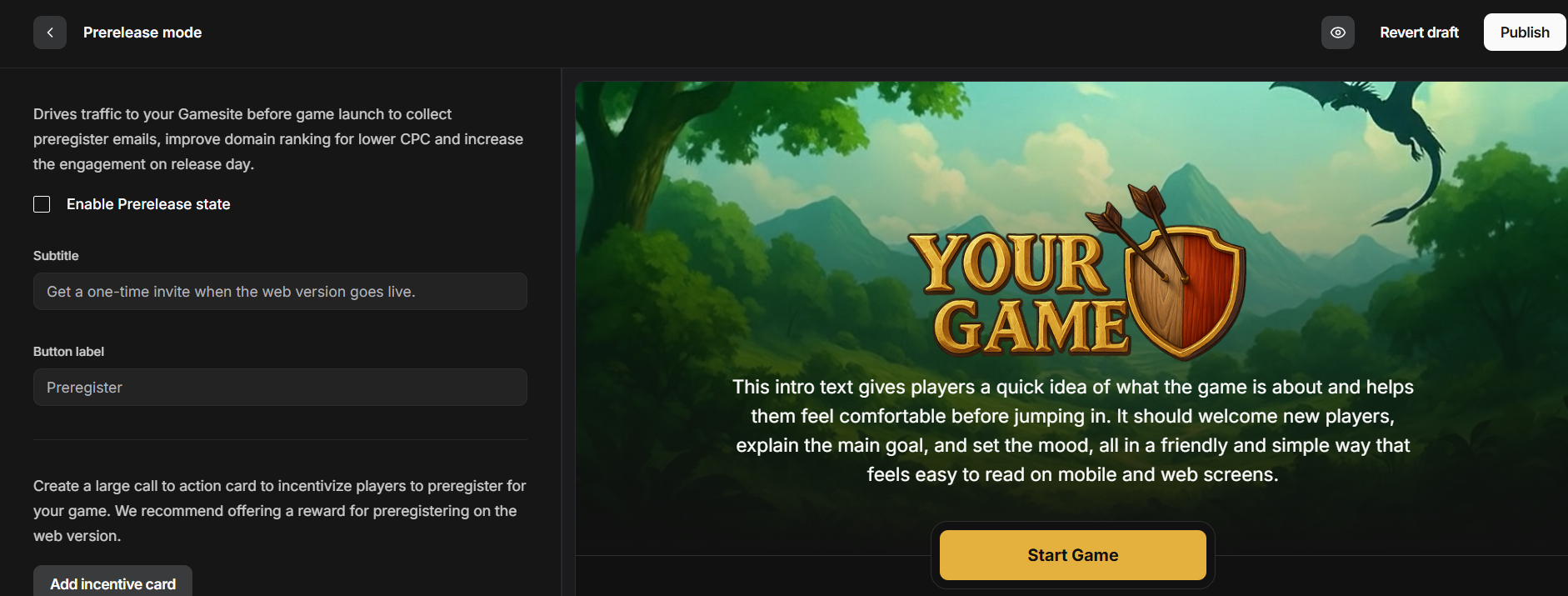
Set your gamesite to pre-launch in the Game Manager and collect user interest before you go live.
- Reach out to Pley to get a Gamesite.
- Go to the Game Manager > Distribution > Gamesite. Enable Prerelease mode.
- Configure the Gamesite visuals, logos, text, and colors to suit your game. (How-to Documentation)
- Point your domain to the Gamesite (How-to Documentation)
- (Optional) Setup Google Tag Manager (How-to Documentation) to do prerelease user acqusition testing, and track your mobile user bases' engagement when you announce it to them in-game on mobile. You do this by sending the
prelaunch_registeredevent to Google Tag Manager, and then forward it from there to any analytics service of your choice.
It is highly recommended to setup analytics to track users visiting pages and signing up for the announcement. That way you can begin experimenting with user acqusition before the game is live, which is highly recommended.
Updated 9 months ago