
Testing Payments
How to test payments in games under development.
For the overall workflow and test-user separation, see Environments and Testing in Game Manager.
Testing payments in Pley Payments is easy and cost-free using sandbox mode and test cards in the Game Manager. This allows you to test purchases without real payment methods or filling out banking/tax forms until you're ready to publish.
Game Manager OnlyPayments can only be tested in the Game Manager by playing builds directly, or by using the run local feature in the Unity SDK.
For builds published on an environment, or released on a distribution channel (such as Discord), only real payments can be done.
It is recommended that all testing is done in the Game Manager. It is incredibly rare that behavior differs between test-payments and real payments.
Testing Payments
1) Launch a build (not environment) in the Pley Game Manager under builds.
2) Trigger a payment in-game.
3) Perform a test payment by selecting the outcome you want to test (Successful, Error, and Declined by User)
4) Complete the payment.
In nearly all cases, no real-money payments needs to be made. The behavior and process is the same for the game client with sandboxed payment in the Game Manager, and real payments on an environment.
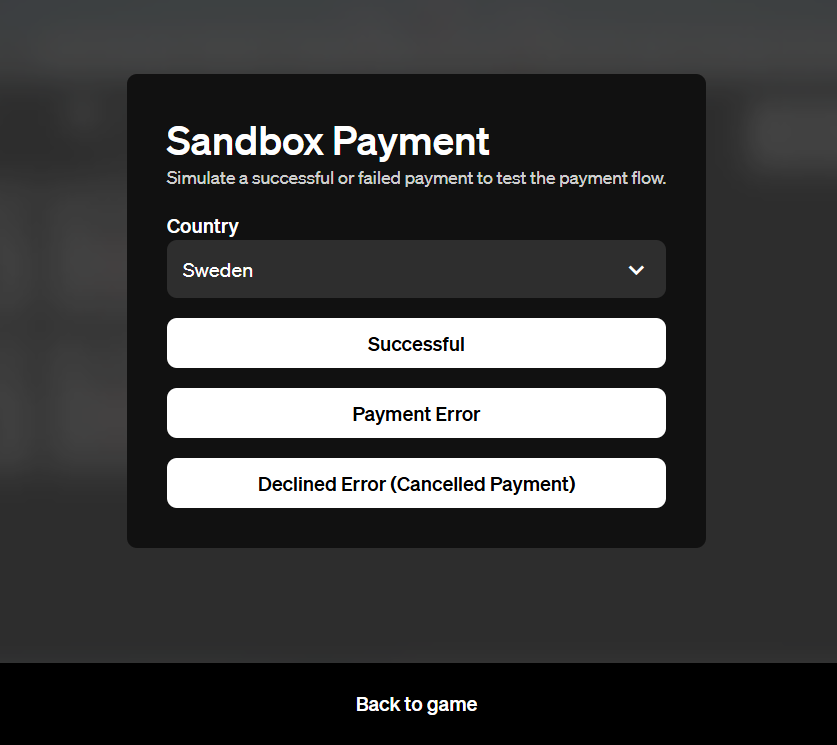
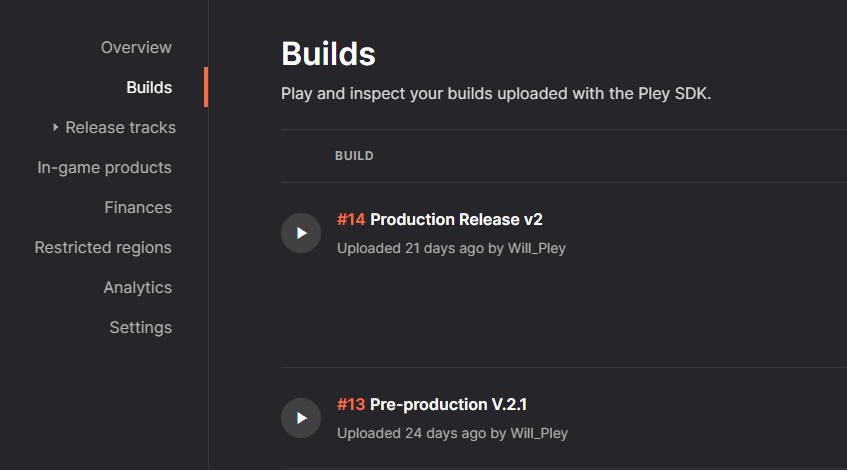
Testing on Production/ReleaseTesting payments on environments (e.g., Production) requires real payment methods, not test cards.
Response
Sandbox purchases mark entitlements with "in_sandbox": true in the JSON response for easy backend tracking. This can be used if you want different behavior for sandbox purchases.
  {
    "entitlement_id": "xxxxxxxx-xxxx-xxxx-xxxx-xxxxxxxxxxxx",
    "product_id": "xxxxxxxx-xxxx-xxxx-xxxx-xxxxxxxxxxxx",
    "in_sandbox": true
  },
    ...
Keeping track of paymentsSandboxed transactions from in the Game Manager isn't tracked and they will not be part of the Sales reports.
Making test-payments will not affect any data or reporting.
Updated 2 days ago