
Pley Build Analysis
The Pley Build Analysis page helps you to better understand your build
Supported VersionsThis feature is only supported for Unity games built with Pley SDK 5.10.0 or newer.
Understanding Your Build Breakdown
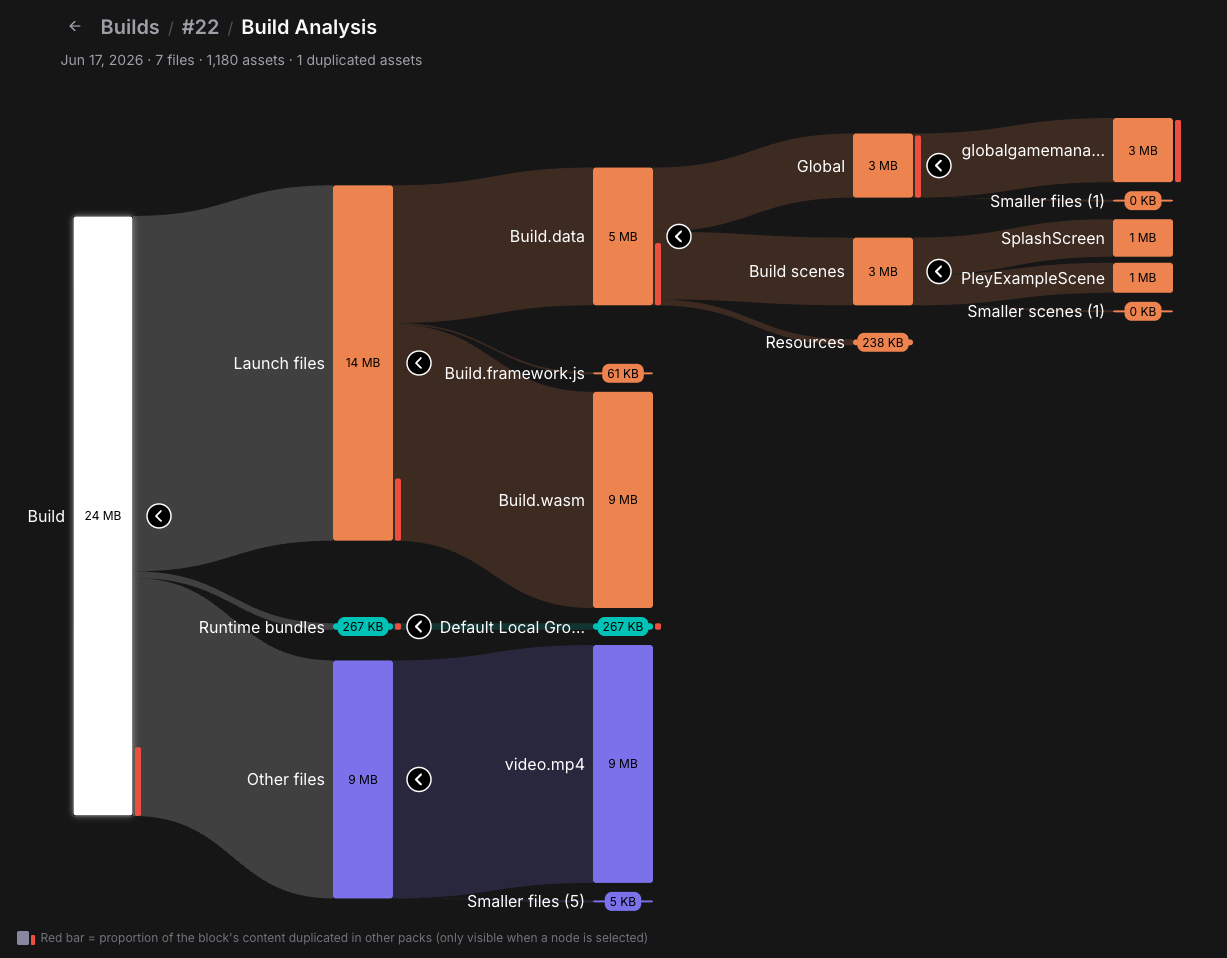
The Pley Build Analysis organizes your build into three main categories:
- Launch Files — Downloaded before the game launches; includes essential startup files
- Runtime Bundles — Asset Bundles or Addressables downloaded during gameplay or in-game loading screens, some of these files can be required before gameplay starts
- Other Files — StreamingAssets that aren't Asset Bundles or Addressables, such as streamed videos or files loaded via UnityWebRequest
Each category expands to show specific groups, files, and subfiles for detailed inspection.
List View
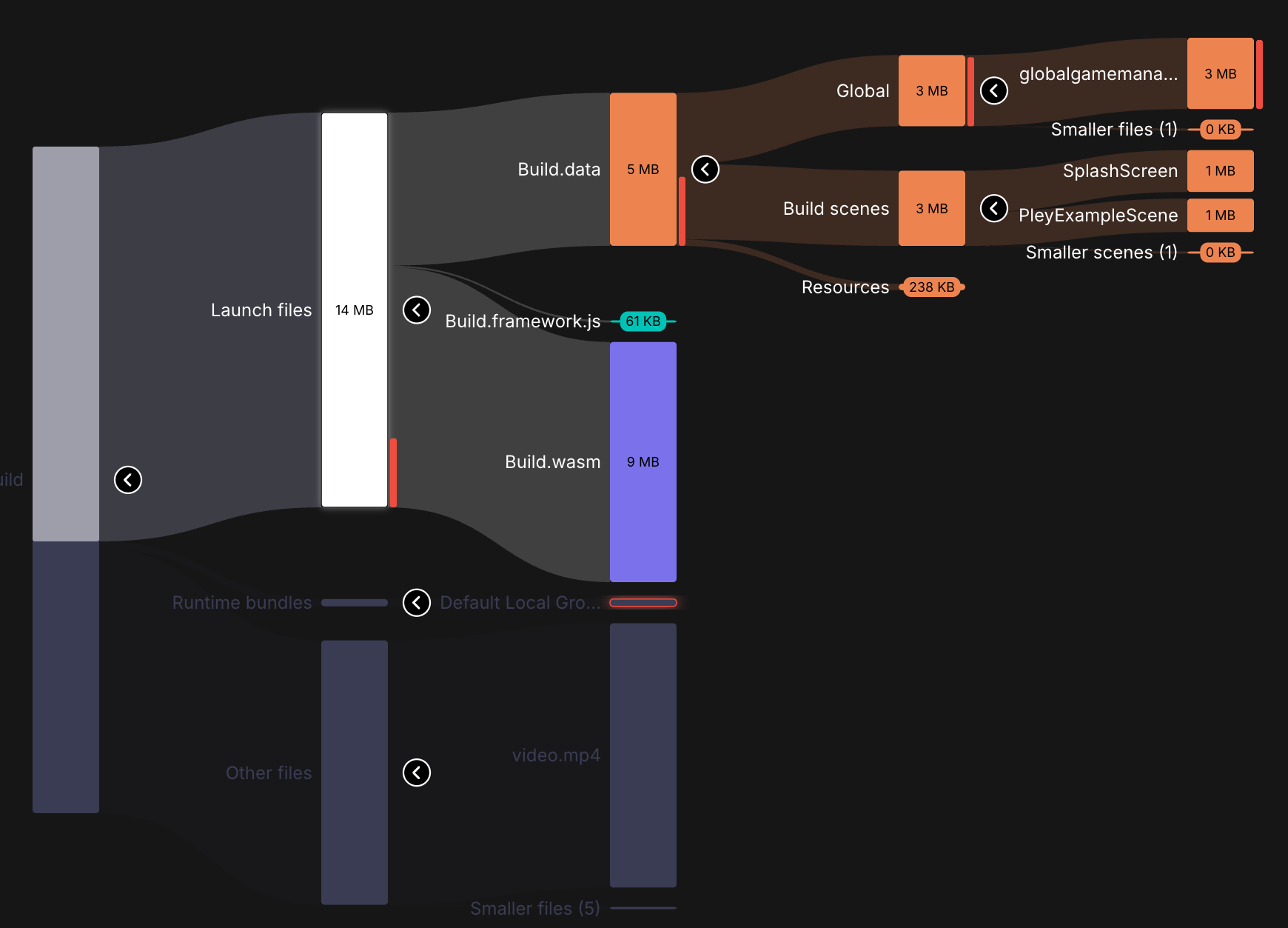
Below the graph, you'll find the list view. The list view automatically filters based on your selection in the graph. For example, selecting Launch Files displays only launch files and related subfiles such as build.data or globalgamemanagers.assets. Files like video.mp4 and Runtime Bundles are excluded from the list and appear greyed out in the graph.
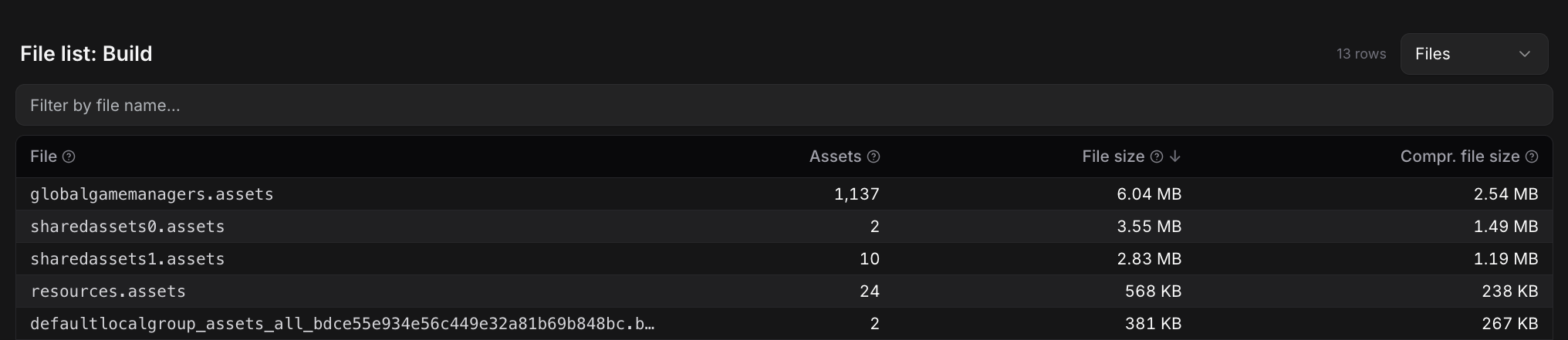
By default, the list view shows all files in the selected node and its sub-nodes. Files containing assets display the amount of assets.
Asset List
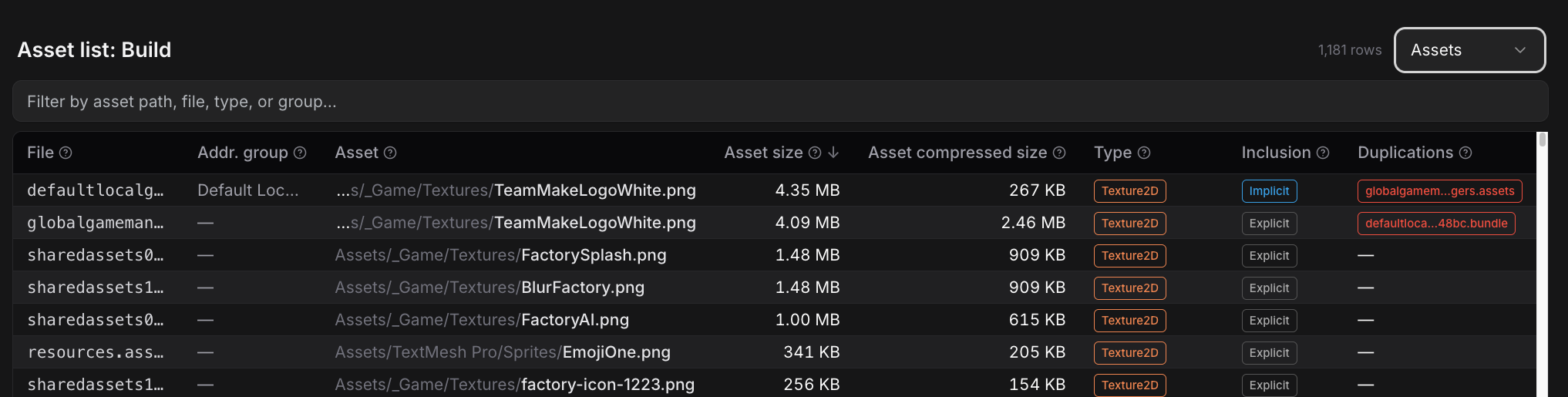
Use the dropdown menu on the right side to switch to Asset List view. This displays individual assets instead of files, making it easier to identify space-heavy assets and view details like source paths and asset types.
Updated 3 months ago