
Pley SDK 5.11.0 | Improved Build Analysis and Easier SDK Installation
Pley SDK 5.11.0 improves Build Analysis and introduces a new way to install and update the SDK through Unity Package Manager.
Improved Build Analysis
Build Analysis helps you understand what's included in your game build and identify large files and assets. Explore Launch Files, Runtime Bundles, and Other Files, then drill into individual files or switch to the Asset List to inspect asset types and source paths.
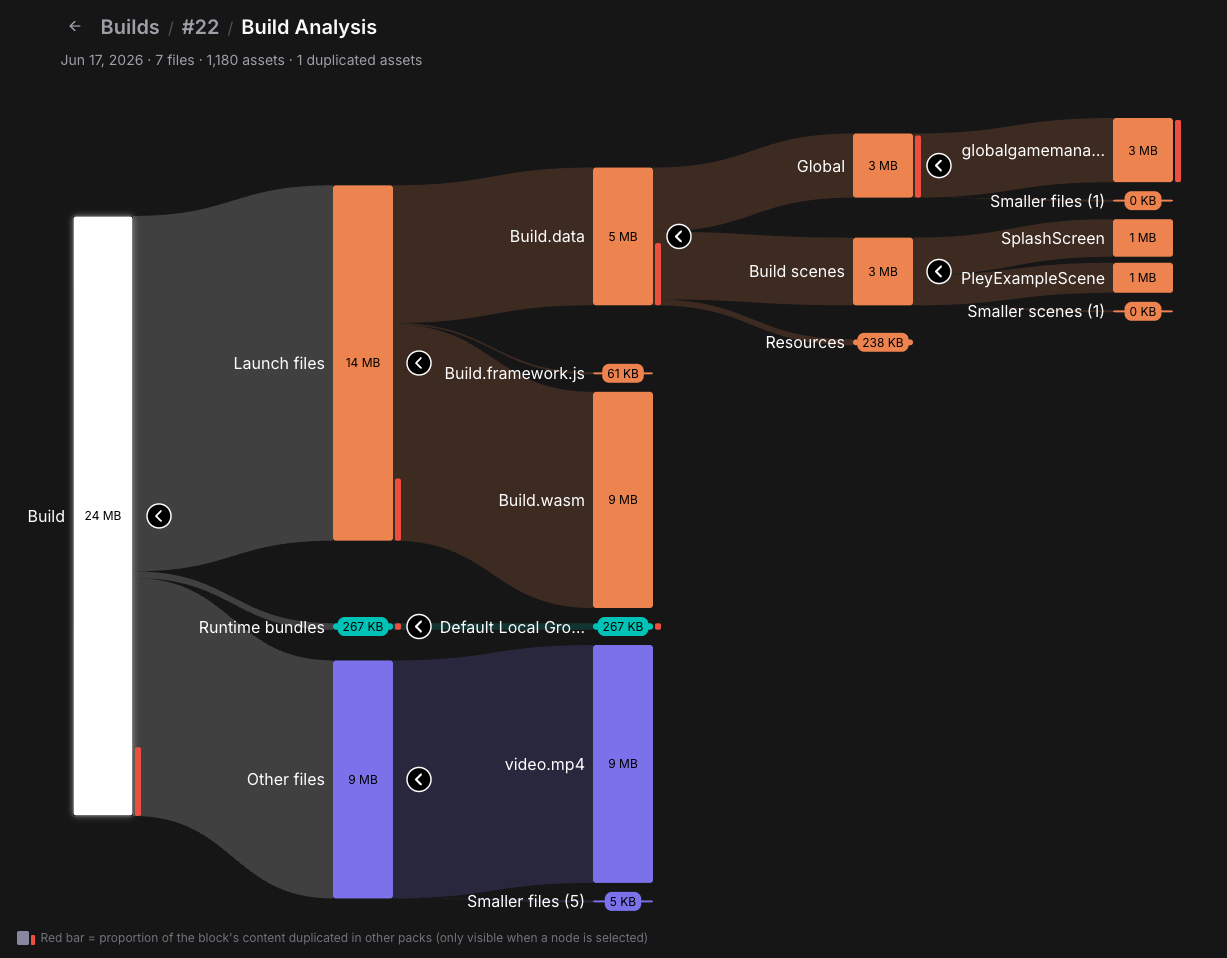
Read more about Build Analysis.
Install and Update Through Unity Package Manager
Starting with SDK 5.11.0, the Pley SDK is distributed as a Unity Package Manager tarball (.tgz), replacing the previous .unitypackage format.
- One download for all supported Unity versions. The SDK automatically selects the correct native libraries.
- Install through Package Manager. Select Install package from tarball… and choose the downloaded
.tgzfile. - Keep your team and CI builds on the same version. Store the tarball inside your project and include it in version control alongside your package configuration.
If you're updating from the .unitypackage version, follow the one-time migration instructions before installing the new package.
Installing the Pley SDK · Updating and migrating an existing project